Story · Base Theme
You can tell a Shopware shop by looking at it. That is the problem this theme exists to solve.
Not a skin for one store — a foundation to build the next ten on. Monochrome by default, colour reserved for things that mean something, and a dark mode that costs no build step.
The shop and the people in this story are an illustration, not a customer. The software is real; the problem is one we keep being called about by retailers running more than one address.
The tell
Default Shopware has a face, and shoppers have seen it.
Nothing is wrong with the default theme. It is complete, maintained and sensible. It is also recognisable, and a storefront that looks like a platform rather than a brand has spent its first impression before anyone reads a word.
The usual fix is a pile of per-selector overrides fighting Bootstrap, which works until the next core update moves something underneath it.
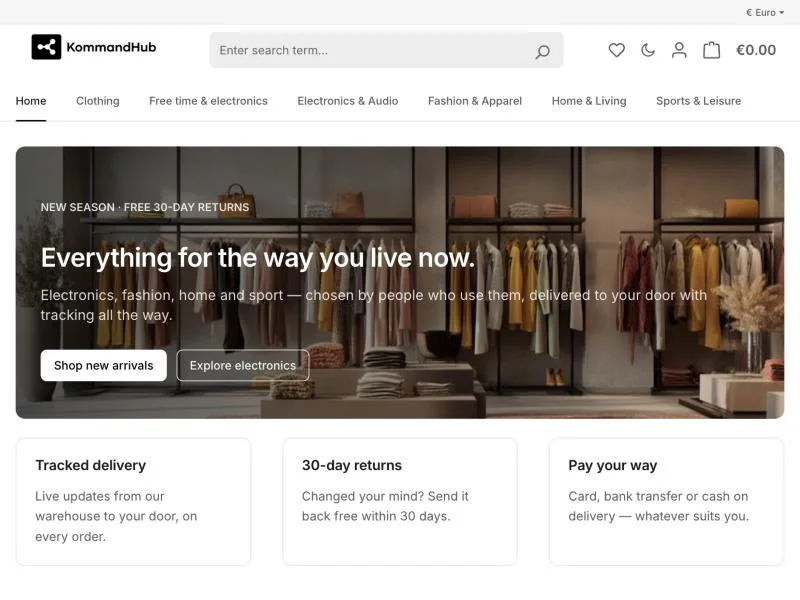
What it is instead
One token layer, and Bootstrap pointed at it.
Every visual decision — colour, type scale, spacing, control heights, radii, elevation, motion — resolves to a token. Bootstrap's own variables and `--bs-*` custom properties are re-pointed at those tokens rather than overridden selector by selector.
So a brand changes values, not components. The theme stays updatable because it is not arguing with the framework underneath it.
- --color-text-primary
- #1a1a1a
- #f6f6f6
- --color-bg-base
- #ffffff
- #0b0b0b
- --color-surface
- #ffffff
- #121212
- --color-border
- #e3e3e3
- #282828
- --color-action
- #000000
- #ffffff
The values the theme ships, read from its own palette. One set of names; the mode decides the values.
What a merchant touches
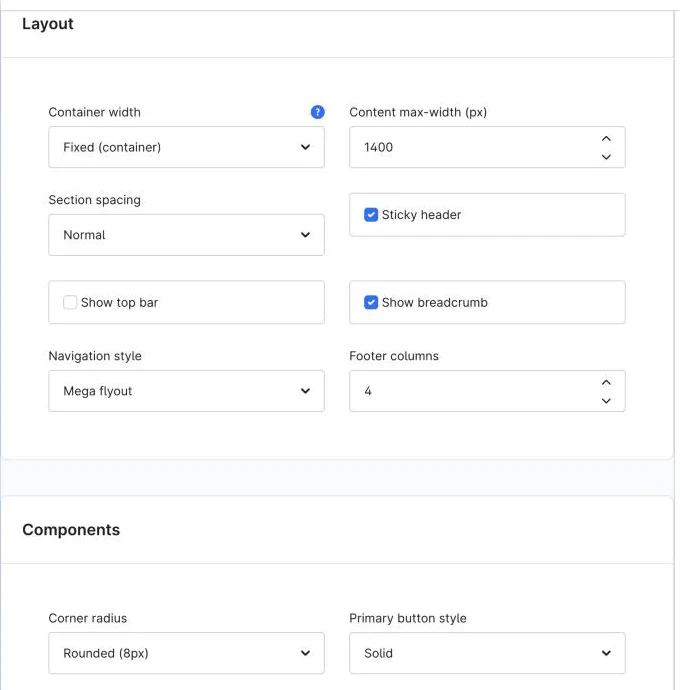
Layout, without opening a stylesheet.
Container width and content max-width. Section spacing. Sticky header, top bar, breadcrumb. Navigation style. Footer columns. Standard Shopware theme settings, in the place a merchant already looks for them.
These are not cosmetic toggles bolted on top: the switches gate real markup in Twig, so turning the top bar off ships no top bar rather than hiding one with CSS.
And the parts
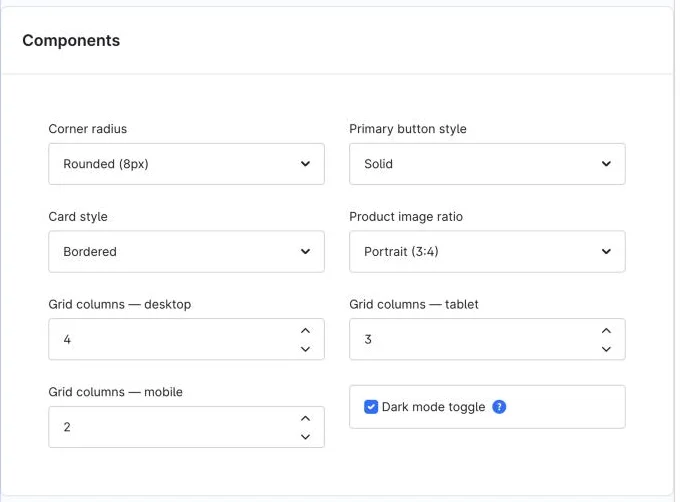
Corner radius, card style, how many products per row.
Primary button style, card treatment, product image ratio, and grid columns set separately for desktop, tablet and mobile — because three across is right on a laptop and wrong on a phone.
The last checkbox on that panel is the one the next scene is about.
The flip
Dark mode, with no build step.
A moon beside the account and cart icons, at every breakpoint. The choice is kept in the visitor's browser and the whole palette re-values under one attribute on the html element. The same token names, different values.
It is implemented inline — a tiny no-flash script in the head so a dark-mode visitor never sees a white flash, and a small wiring script. No webpack, no asset pipeline to run. Turn the setting off and the markup and scripts are not shipped at all.
Core Shopware bakes some colours in at compile time; those elements are re-pointed at the tokens so they follow the flip instead of sitting dark-on-dark.
Light
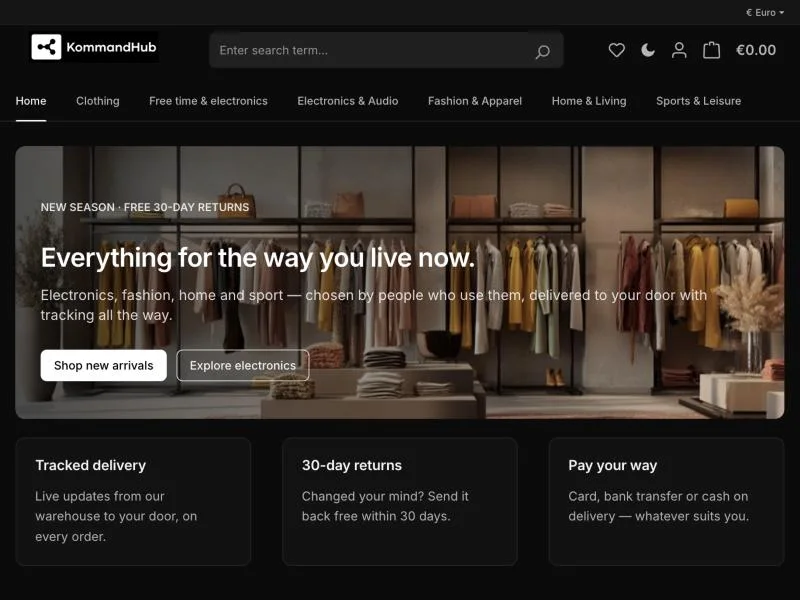
Dark
Where the colour went
Hue is reserved for meaning.
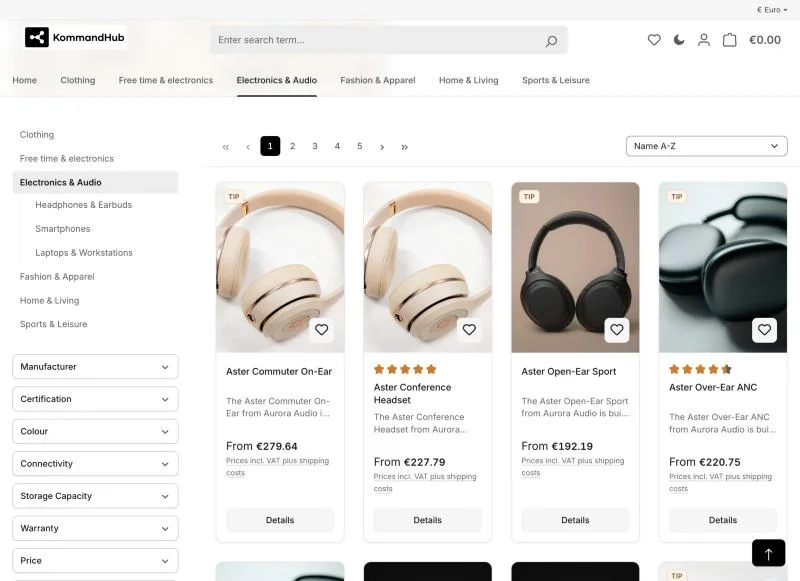
The interface is neutral: hierarchy comes from tone, type, spacing and hairline borders. So when something is coloured, it is carrying information — success, warning, danger, info, and the rating stars.
Look at a listing page and count the coloured things. The stars, and nothing else. That is deliberate, and it is why a status message reads as a status rather than as more decoration.
The page that sells
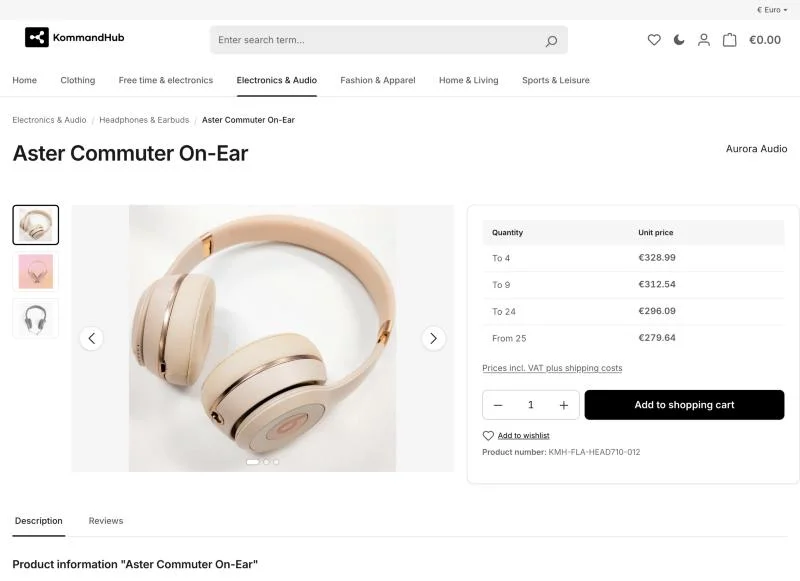
Breadcrumb, title, content — in that order.
A muted trail with the current page in ink, twelve pixels to a semibold title, eight to an optional description, then the content. Phones collapse the trail rather than wrapping it. Product pages make the product the current crumb.
Tiered pricing reads as a table because it is one. The gallery, the quantity control and the cart button all come from the same control heights and radii as the rest of the shop.
Light

Dark
What the editor built
Shopping Experiences keep working.
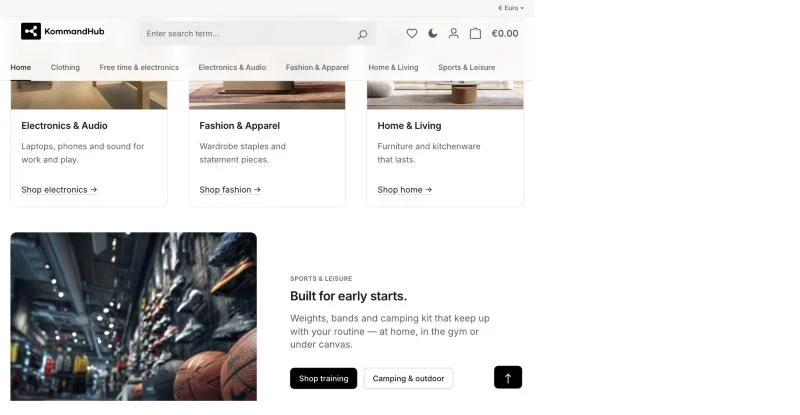
Every core CMS block is styled on the design system: text and lead typography, rounded images, sliders and galleries, image-text cards, equal-height product boxes, a scrim and light text on text-on-image, and a themed consent card for embedded video.
What an editor set in the Administration still applies. The theme styles the blocks; it does not take the layout away from the person who built it.
How we know
Light and dark, desktop and phone, checked.
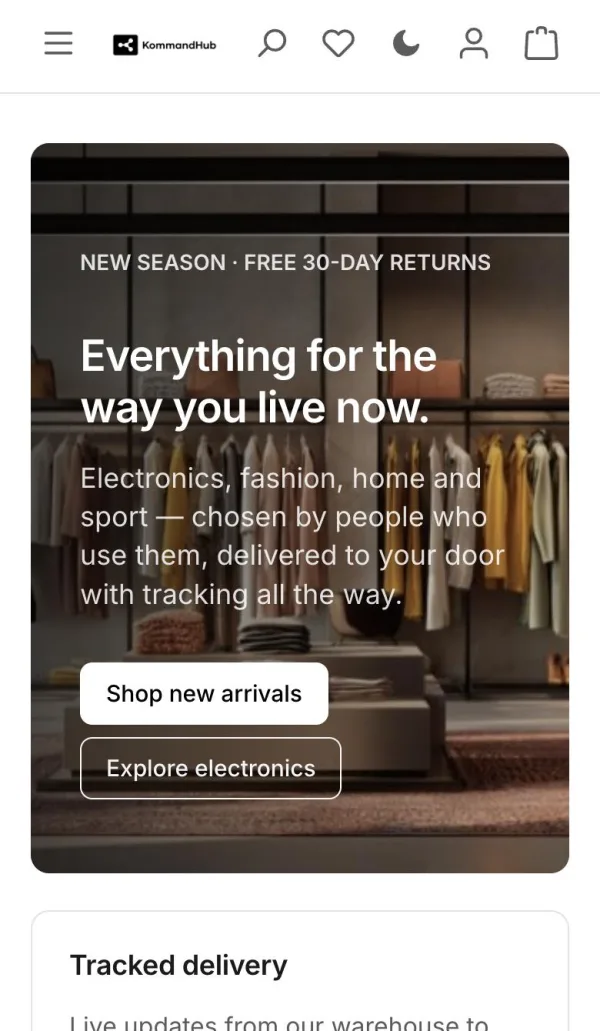
A Playwright suite covers the storefront in both colour schemes at both sizes, including WCAG AA text contrast. Form borders are held at 3:1, focus is a visible ring rather than a removed outline, and links inside running text keep an underline because they share the text colour.
The plugin skins have their own spec, which skips itself when the plugin is not installed on the shop being tested.
Light
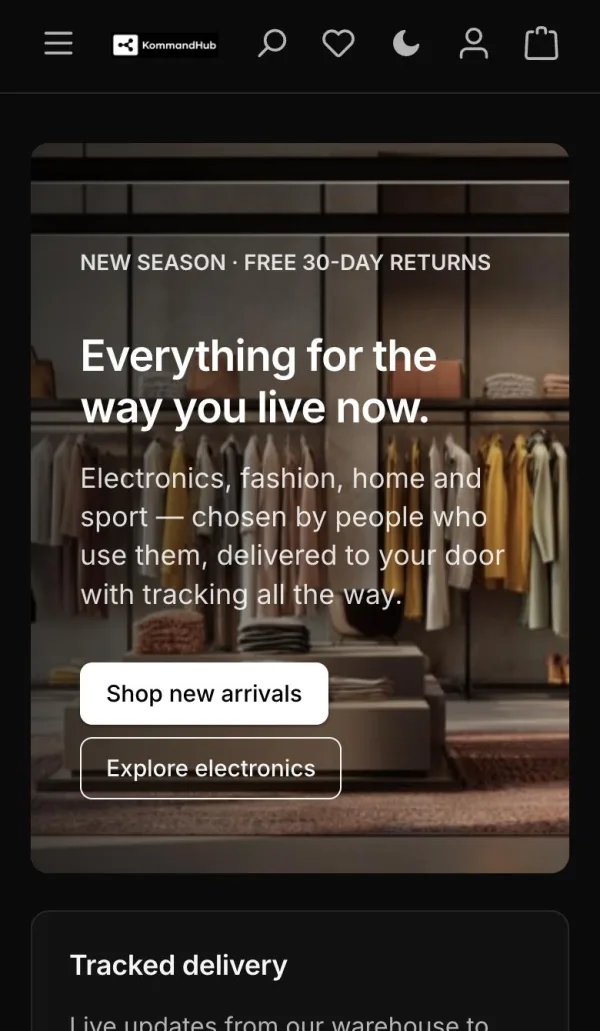
Dark
Two sides of the same storefront
For the person shopping
- A storefront that reads as the brand, not as the platform it was built on.
- Dark mode that is actually dark, including the parts core bakes in.
- Text that meets AA contrast, focus you can see, and tap targets sized for a thumb.
- No white flash on load for anyone browsing at night.
For whoever maintains it
- Brand changes are token values and theme settings, not component edits.
- Bootstrap is re-pointed rather than fought, so core updates stay survivable.
- One foundation across projects instead of a bespoke skin per client.
- Apache-2.0 and on Packagist — fork it, read it, no licence conversation.
Straight answers
What this is not
The honest edges, including the ones that matter most to a chain. A plugin that claims everything is a plugin you find out about later.
- Shopware 6.7 only
- It needs `shopware/core` and `shopware/storefront` at ~6.7.0. There is no 6.6 branch.
- It is a foundation, not a finished store
- It gives you a coherent baseline to build a brand on. It does not make design decisions about your brand for you, and it ships no bespoke layouts.
- Plugin skins are optional and one-way
- The theme styles the storefront UI of our plugins and depends on none of them. Install a plugin it does not know about and nothing matches — that is by design, but it means a third-party plugin may still look like itself.
- Core still bakes in some colours
- Dark mode re-points the core elements we have found. When a new core element turns up dark-on-dark after an update, it has to be added — it is a list, not a rule that catches everything.
- Settings changes need a recompile
- After changing theme settings or updating the theme, recompile it. Standard Shopware, but worth saying before someone wonders why nothing moved.
Install it
Free, and four commands away.
The theme is published on Packagist under Apache-2.0. No licence key, no account, no fee — install it the way you install anything else.
$ composer require kommandhub/base-theme-sw
$ bin/console plugin:refresh
$ bin/console plugin:install --activate KmhBaseTheme
$ bin/console theme:change --all KmhBaseTheme
Composer, then assign the theme to a sales channel.
Or download the release zip from GitHub and upload it under Extensions → My extensions.
- Version
- 1.0.0
- Licence
- Apache-2.0
- Requires
- Shopware 6.7, PHP 8.2+
- Price
- Free
Before you ask
The questions a retailer asks first
Is this Shopware theme really free?
Yes. It is published under Apache-2.0 on Packagist and the source is public on GitHub. There is no licence key, no subscription and no paid tier — you can use it commercially, fork it and ship client work on it.
Does it support dark mode?
Yes, and without a build step. A toggle sits beside the account and cart icons at every breakpoint, the choice is stored in the visitor's browser, and the whole palette re-values under one attribute on the html element. A small no-flash script in the head means a dark-mode visitor never sees a white flash. Turn the setting off and neither the markup nor the scripts are shipped.
Which Shopware versions does it work with?
Shopware 6.7 and PHP 8.2 or newer. There is no 6.6 branch — if you are on 6.6, the upgrade comes first.
Can I change the colours and layout without writing SCSS?
Yes. Container width, content max-width, section spacing, sticky header, top bar, breadcrumb, navigation style and footer columns are theme settings, as are corner radius, button style, card style, product image ratio and grid columns per breakpoint. Deeper changes are token values rather than component edits.
Is it a finished shop design?
No, and that is deliberate. It is a foundation to build a brand on — a coherent baseline across projects rather than a bespoke skin for one store. It ships no custom layouts and makes no design decisions about your brand.
Apache-2.0, on Packagist, and running on the screenshots above.
Every screenshot on this page is our own demo storefront, captured as it runs. The theme is open source — read it, fork it, or install it and keep going. If you want it fitted to a brand, that is a conversation.